Want to calculate Azure costs accurately and avoid bill shocks? You’re not alone. Millions of businesses struggle with cloud spending—this guide reveals proven strategies to gain control, predict expenses, and optimize like a pro.




Calculate Azure Costs: Why It’s Critical for Cloud Success

Understanding how to calculate Azure costs isn’t just about saving money—it’s about making smarter business decisions. Microsoft Azure offers over 200 services, from virtual machines to AI tools, and each comes with its own pricing model. Without a clear method to track and forecast spending, organizations risk overspending by 30% or more annually.
According to a 2023 Flexera State of the Cloud Report, 32% of cloud spend is wasted due to poor visibility and mismanagement. That’s where mastering how to calculate Azure costs becomes a game-changer. It empowers teams to align technical usage with financial accountability.
Understanding the Financial Impact of Unmanaged Cloud Spend
Unmanaged Azure environments often lead to ‘shadow IT’—teams deploying resources without finance oversight. This results in duplicated services, idle VMs, and over-provisioned databases. For example, a single unused D4s v3 VM running 24/7 can cost over $100 per month. Multiply that across dozens of forgotten instances, and the bill skyrockets.
By learning how to calculate Azure costs accurately, companies can identify waste, enforce governance, and redirect budgets toward innovation. Tools like Azure Cost Management + Billing provide real-time insights, but only if used correctly.
- Over-provisioning accounts for 40% of wasted cloud spend
- Idle resources can cost enterprises $100K+ annually
- Teams that monitor costs weekly save 25–50% on average
How Azure Pricing Differs from Traditional IT
Unlike on-premises infrastructure, where costs are largely fixed, Azure operates on a pay-as-you-go model. This means you pay only for what you use—down to the second for some services. However, this flexibility introduces complexity. A simple VM might have separate charges for compute, storage, networking, and data transfer.
To effectively calculate Azure costs, you must understand pricing dimensions like:
– Region-based pricing (e.g., East US vs. West Europe)
– Instance type (e.g., General Purpose vs. Memory Optimized)
– Reservation discounts (1- or 3-year terms)
– Spot instances for non-critical workloads
Microsoft’s official Azure Pricing Page is a critical resource for exploring these variables.
“The cloud is not inherently expensive—but ignorance of its pricing models is.” — Cloud Financial Officer, Fortune 500 Tech Firm
Key Components to Calculate Azure Costs Accurately
To calculate Azure costs with precision, you need to break down your environment into core cost drivers. Azure’s modular architecture means every service contributes to your bill. Ignoring even one component—like outbound data transfer—can lead to significant forecasting errors.
Let’s dissect the major cost elements you must track.
Compute Costs: VMs, Containers, and Serverless
Compute is often the largest line item in an Azure bill. Whether you’re using Virtual Machines (VMs), Azure Kubernetes Service (AKS), or serverless functions like Azure Functions, each has a distinct pricing model.
- Virtual Machines: Billed per second (Linux) or per minute (Windows), with additional costs for OS licensing and auto-shutdown features
- Container Instances: Charged based on vCPU, memory, and execution time
- Azure Functions: Pay-per-execution model with free grants each month
For example, an E4s v3 VM in East US costs approximately $0.192/hour. Running it 24/7 for a month totals ~$138. But if you enable auto-shutdown during non-business hours, savings can exceed 60%.
Use the Azure Pricing Calculator to model different compute scenarios before deployment.
Storage and Data Transfer Expenses
Storage seems cheap at first glance—Standard HDD might cost $0.045/GB/month—but it adds up fast at scale. More importantly, data transfer fees are often overlooked. Azure charges for outbound data (data leaving Azure to the internet), while inbound is free.
For instance, transferring 10 TB of data out to users globally can cost over $800/month depending on region. Internal transfers between regions also incur fees. To calculate Azure costs accurately, always factor in:
- Storage tier (Hot, Cool, Archive)
- Redundancy type (LRS, ZRS, GRS)
- Number of read/write operations (transactions)
- Outbound bandwidth usage
Pro tip: Use Azure Blob Storage’s lifecycle management to automatically move old data to cooler tiers, reducing costs by up to 80%.
Networking and Security Services
Networking is a silent cost driver. Azure Load Balancer, Application Gateway, and Azure Firewall all contribute to your bill. For example, Application Gateway charges include:
- Instance hours ($0.072/hour for v1)
- Data processed ($0.008/GB)
- Additional WAF (Web Application Firewall) fees
Similarly, Azure DDoS Protection Standard costs $3,000/month per subscription—worth it for critical apps, but overkill for dev environments. Always align security spending with risk levels.
When you calculate Azure costs, include networking early in design to avoid surprises.
Tools to Calculate Azure Costs with Precision
Manually tracking every resource is impractical. Fortunately, Microsoft and third-party vendors offer powerful tools to calculate Azure costs automatically and forecast future spend.
Azure Pricing Calculator: Your First Step
The Azure Pricing Calculator is the go-to tool for estimating costs before deployment. You can build a complete architecture—VMs, databases, networking—and get instant cost projections.
Key features:
– Real-time pricing updates
– Support for reservations and spot instances
– Exportable estimates for stakeholder reviews
– Integration with Azure subscriptions for actual vs. estimated comparisons
For example, modeling a three-tier web app (2 VMs, SQL Database, Load Balancer) in East US shows a monthly cost of ~$220. Adjusting to reserved instances drops it to ~$140—a 36% saving.
Azure Cost Management + Billing
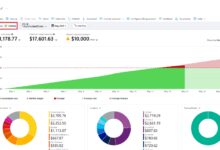
This native tool is essential for ongoing cost analysis. It integrates directly with your Azure subscription and provides:
- Detailed cost breakdowns by service, resource group, or tag
- Daily cost reports and budget alerts
- Forecasting based on historical usage
- Multi-subscription and multi-tenant views for enterprises
To get the most out of it, enable budgets with alerts at 50%, 75%, and 90% thresholds. This proactive approach prevents bill shock.
One enterprise client reduced their Azure bill by 42% within three months simply by setting up tagging and budget alerts in Cost Management.
Third-Party Tools: CloudHealth, Apptio, and ParkMyCloud
While Azure’s native tools are robust, third-party platforms offer deeper analytics and automation. Here’s how they help you calculate Azure costs more effectively:
- CloudHealth by VMware: Provides advanced rightsizing recommendations, carbon footprint tracking, and multi-cloud support
- Apptio Cloudability: Focuses on showback/chargeback models, ideal for finance teams needing granular cost allocation
- ParkMyCloud: Automates resource scheduling—shutting down non-prod VMs at night or on weekends, saving 60–70%
These tools integrate via API and offer customizable dashboards, making it easier to communicate costs across departments.
“We saved $1.2M in one year by switching from manual tracking to CloudHealth. The ROI was immediate.” — CTO, Mid-Sized SaaS Company
Best Practices to Calculate Azure Costs and Optimize Spending
Knowing how to calculate Azure costs is only half the battle. The real value comes from using that data to drive optimization. Here are proven best practices used by cloud-savvy organizations.
Implement Resource Tagging for Cost Allocation
Tags are key-value pairs (e.g., Environment: Production, Owner: Marketing) that let you categorize resources. Without them, you can’t accurately calculate Azure costs by department, project, or team.
Recommended tagging strategy:
– Environment (Dev, Test, Prod)
– Cost Center (Finance, Engineering)
– Application (CRM, ERP)
– Owner (Team lead email)
Once tagged, use Azure Cost Management to filter reports by tag. This enables chargeback models and accountability.
Leverage Reserved Instances and Savings Plans
If you have predictable workloads (e.g., production databases), Reserved VM Instances offer up to 72% savings compared to pay-as-you-go. You commit to 1- or 3-year terms and pay upfront or monthly.
Similarly, Azure Compute Savings Plans provide flexible discounts across compute services (VMs, AKS, Functions) for a consistent usage amount.
Example: A D4s v3 VM costs $0.192/hour pay-as-you-go. A 1-year reservation reduces it to $0.089/hour—a 54% saving. Use the Azure Reservation Recommendations tool to identify eligible resources.
Automate Shutdowns for Non-Production Environments
Dev and test environments often run 24/7, but they’re only used 8–10 hours a day. Automating shutdowns can cut costs in half.
Solutions:
– Azure Automation: Schedule start/stop times using PowerShell or Python scripts
– Azure DevTest Labs: Built-in auto-shutdown policies
– ParkMyCloud: Visual scheduling interface for teams without coding skills
One client saved $85,000/year by scheduling shutdowns for 120 non-prod VMs.
Common Mistakes When Trying to Calculate Azure Costs
Even experienced teams make errors when trying to calculate Azure costs. Avoid these common pitfalls to ensure accuracy and trust in your financial data.
Ignoring Egress (Data Transfer) Fees
Many architects design systems without considering outbound data costs. Streaming video, large file downloads, or API responses to global users all incur egress fees.
For example, transferring 50 TB out of Azure East US to Asia Pacific costs ~$4,500/month. Using Azure CDN (Content Delivery Network) can reduce this by caching content closer to users—often cutting egress costs by 60%.
Always model egress in your cost calculations, especially for public-facing applications.
Over-Provisioning Resources ‘Just in Case’
A common instinct is to deploy oversized VMs to avoid performance issues. But a 4x over-provisioned VM costs 4x more—with no performance benefit if the app doesn’t need it.
Solution: Use Azure Monitor to track CPU, memory, and disk usage over time. If average CPU is below 20%, consider downsizing. Tools like Azure Migrate can recommend optimal VM sizes.
One company reduced their monthly bill by $18,000 by rightsizing 45 over-provisioned VMs.
Failing to Monitor After Deployment
Cost control isn’t a one-time task. Usage patterns change, teams spin up new resources, and projects get abandoned. Without ongoing monitoring, savings erode quickly.
Best practice: Schedule monthly cost reviews with technical and finance teams. Use Azure Advisor for continuous optimization recommendations.
“We saved 30% in Q1 but lost it all by Q3 because we stopped monitoring. Cost management is a habit, not a project.” — Cloud Architect, Financial Services Firm
Advanced Strategies to Calculate Azure Costs at Scale
For enterprises with multiple subscriptions, departments, or global operations, calculating Azure costs requires a structured, scalable approach.
Use Management Groups for Hierarchical Cost Tracking
Azure Management Groups allow you to organize subscriptions into a hierarchy, applying policies and viewing consolidated costs. This is essential for large organizations.
Example structure:
– Root Management Group
├─ Production Subscriptions
├─ Development Subscriptions
└─ Sandbox Subscriptions
This setup enables centralized cost reporting and governance. You can assign budgets at the management group level and drill down into details.
Implement Chargeback and Showback Models
Chargeback and showback models help allocate cloud costs to business units. While showback reports usage without charging, chargeback bills teams directly.
Steps to implement:
1. Define cost allocation rules (by tag, resource group, or app)
2. Generate monthly reports using Azure Cost Management or Apptio
3. Share insights with department heads
4. Adjust budgets based on actual usage
This fosters cost awareness and encourages efficient resource use.
Integrate with Financial Systems (ERP, SAP, etc.)
To truly align cloud spend with business outcomes, integrate Azure cost data with ERP systems like SAP, Oracle, or NetSuite.
How:
– Export cost data via Azure Cost Management API
– Use ETL tools (e.g., Azure Data Factory) to transform and load into finance systems
– Map costs to GL codes for accounting accuracy
This integration enables CFOs to view cloud spend alongside other operational expenses, improving forecasting and compliance.
Future-Proofing: How to Continuously Calculate Azure Costs
The cloud evolves fast. New services, pricing changes, and usage spikes mean your cost model must be dynamic. Here’s how to stay ahead.
Adopt FinOps: The Financial Operations Framework
FinOps is a cultural and operational shift that brings finance, engineering, and business teams together to manage cloud costs collaboratively.
The FinOps Foundation outlines three phases:
1. Inform: Gain visibility into costs
2. Optimize: Take action to reduce waste
3. Operationalize: Make cost management part of daily operations
Teams that adopt FinOps report 20–50% higher cost efficiency.
Use AI-Powered Forecasting Tools
Azure Cost Management now includes AI-driven forecasting that predicts next month’s bill based on trends. It flags anomalies—like a sudden spike in Blob Storage usage—before they become problems.
Enable forecasting in the Azure portal under ‘Cost Management > Forecast’. Combine it with anomaly detection for proactive alerts.
Educate Teams on Cost-Aware Development
Developers often prioritize performance over cost. But small choices—like choosing a Premium SSD over Standard—can double storage costs.
Solutions:
– Run cloud cost training for engineering teams
– Embed cost checks in CI/CD pipelines
– Use tools like Azure Advisor to flag expensive configurations
One tech firm reduced dev environment costs by 65% after introducing a ‘cost-aware coding’ workshop.
How do I calculate my Azure costs for free?
You can calculate Azure costs for free using the Azure Pricing Calculator and Azure Cost Management + Billing. Both tools are included with your Azure account. The calculator helps estimate future costs, while Cost Management tracks actual usage across subscriptions at no extra charge.
What is the easiest way to monitor Azure spending?
The easiest way is to set up budgets in Azure Cost Management. Create a budget, assign it to a subscription or resource group, and configure email alerts at 50%, 75%, and 90% of your limit. This gives real-time visibility without complex setup.
Do reserved instances save money on Azure?
Yes, reserved instances can save up to 72% compared to pay-as-you-go pricing. They work best for stable, predictable workloads like production databases or core applications running 24/7. Use the Reservation Recommendations tool to identify savings opportunities.
How can I reduce my Azure bill immediately?
Start by shutting down unused non-production VMs, deleting unattached disks, and cleaning up old snapshots. Then, enable auto-shutdown policies and apply tags for better tracking. These quick wins often reduce bills by 30–50% within weeks.
Is Azure cheaper than AWS?
It depends on the use case. Azure often offers better pricing for Windows workloads and hybrid environments due to Azure Hybrid Benefit. AWS may be cheaper for certain compute or storage scenarios. Always calculate Azure costs and compare using pricing calculators from both providers.
Mastering how to calculate Azure costs is no longer optional—it’s a business imperative. From using the Azure Pricing Calculator to adopting FinOps practices, the strategies in this guide empower you to take control of your cloud spending. By combining the right tools, tagging strategies, and automation, you can reduce costs by 50% or more while maintaining performance. The key is consistency: monitor regularly, optimize proactively, and educate your teams. With these practices, you’ll turn Azure from a cost center into a strategic advantage.
calculate azure costs – Calculate azure costs menjadi aspek penting yang dibahas di sini.
Recommended for you 👇
Further Reading: